
You can find the boards in the side menu under “Organization.” They are divided into “Team Board,” “Quarter Plan,” and “Task List” and are available in Kanban, Gantt, and Table view. You can filter and group the boards, just like all other views in factro.
What are the advantages of boards compared to other views?
Boards give you full transparency for you and your team across all projects. With the Kanban and Gantt views, you can narrow down the information to the essentials. You can also identify dependencies in these views, which helps break down information silos.
In addition, filtering and grouping options allow you to view things from multiple perspectives, so the views are customized to your workflow.
How to Use Teamboards
On the Teamboard, you'll find a list of all team members and their weekly tasks. The weekly grouping lets you see everything that needs to be done and by when.
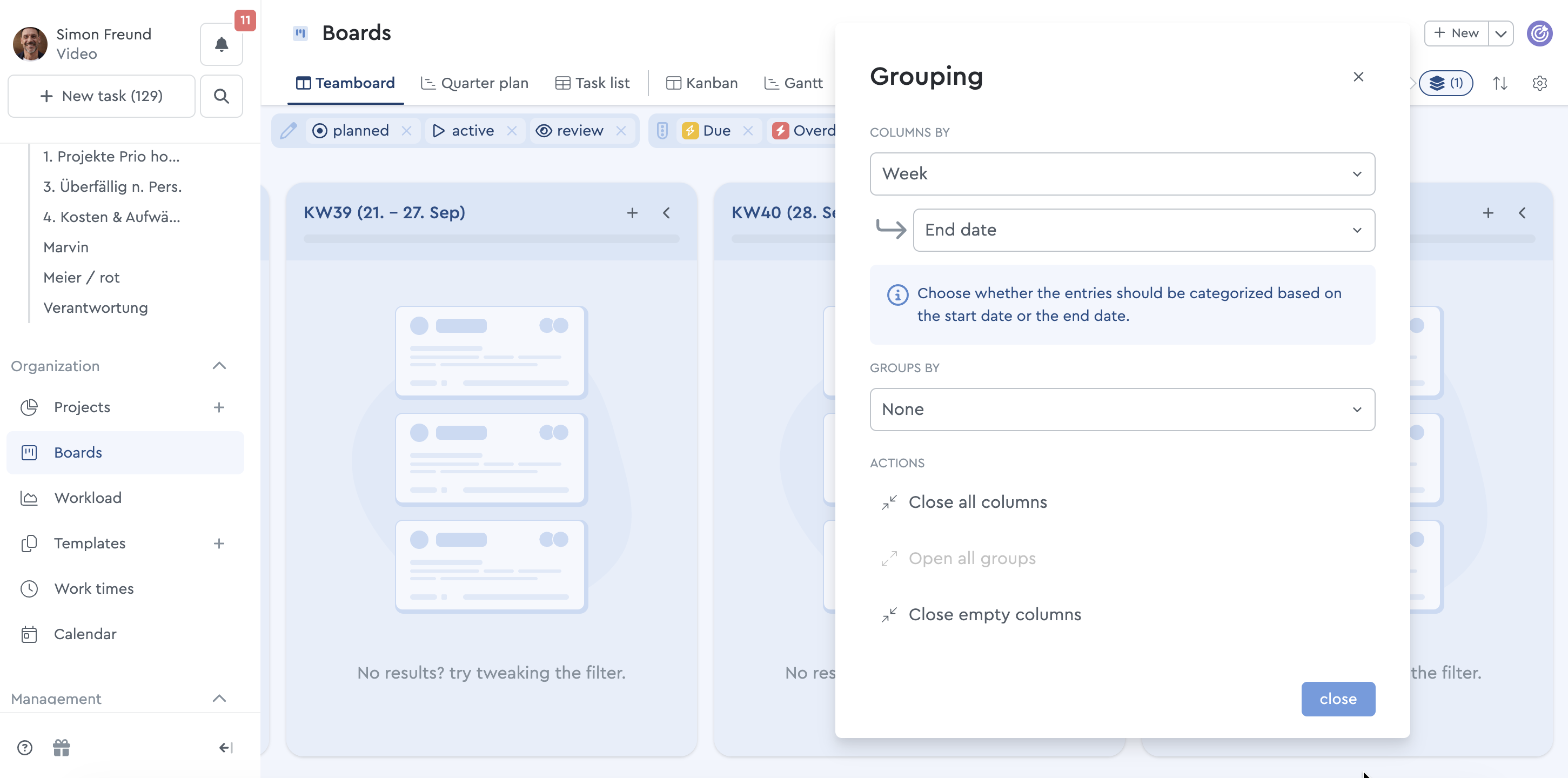
In addition, you can filter by different statuses or, for example, filter only for high-risk and overdue tasks. This allows you to see where support is currently needed or which tasks can be reassigned if a team member is sick.
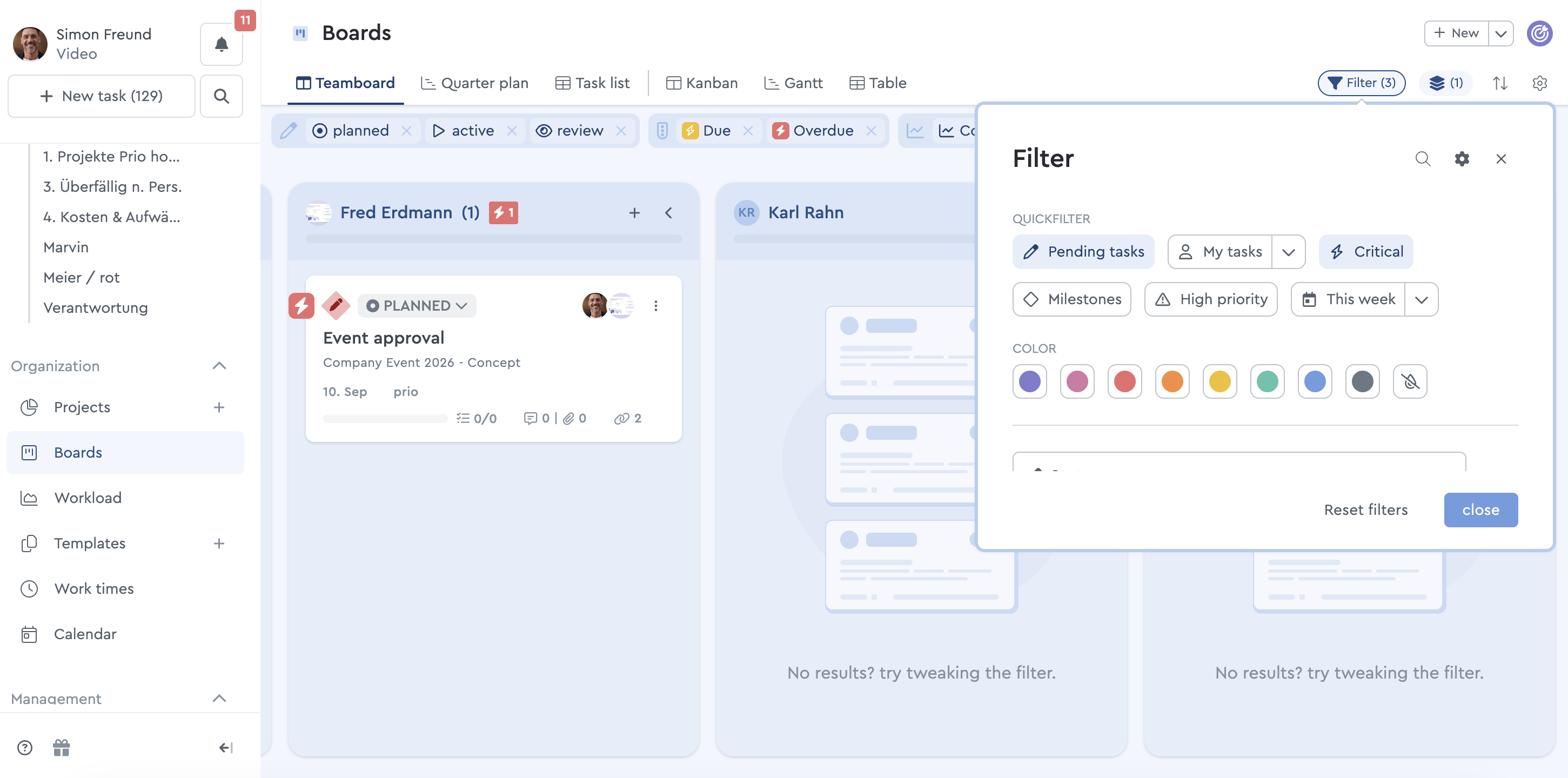
Tip: To make filtering easier, you can tag tasks that are associated with specific projects or meetings.
For example, custom fields can be used for tasks that involve external service providers.
When do you use the quarter plan?
In the quarterly plan, you can quickly see which projects are currently in progress and which milestones will be reached soon. Again, you can group and filter the data however you prefer.
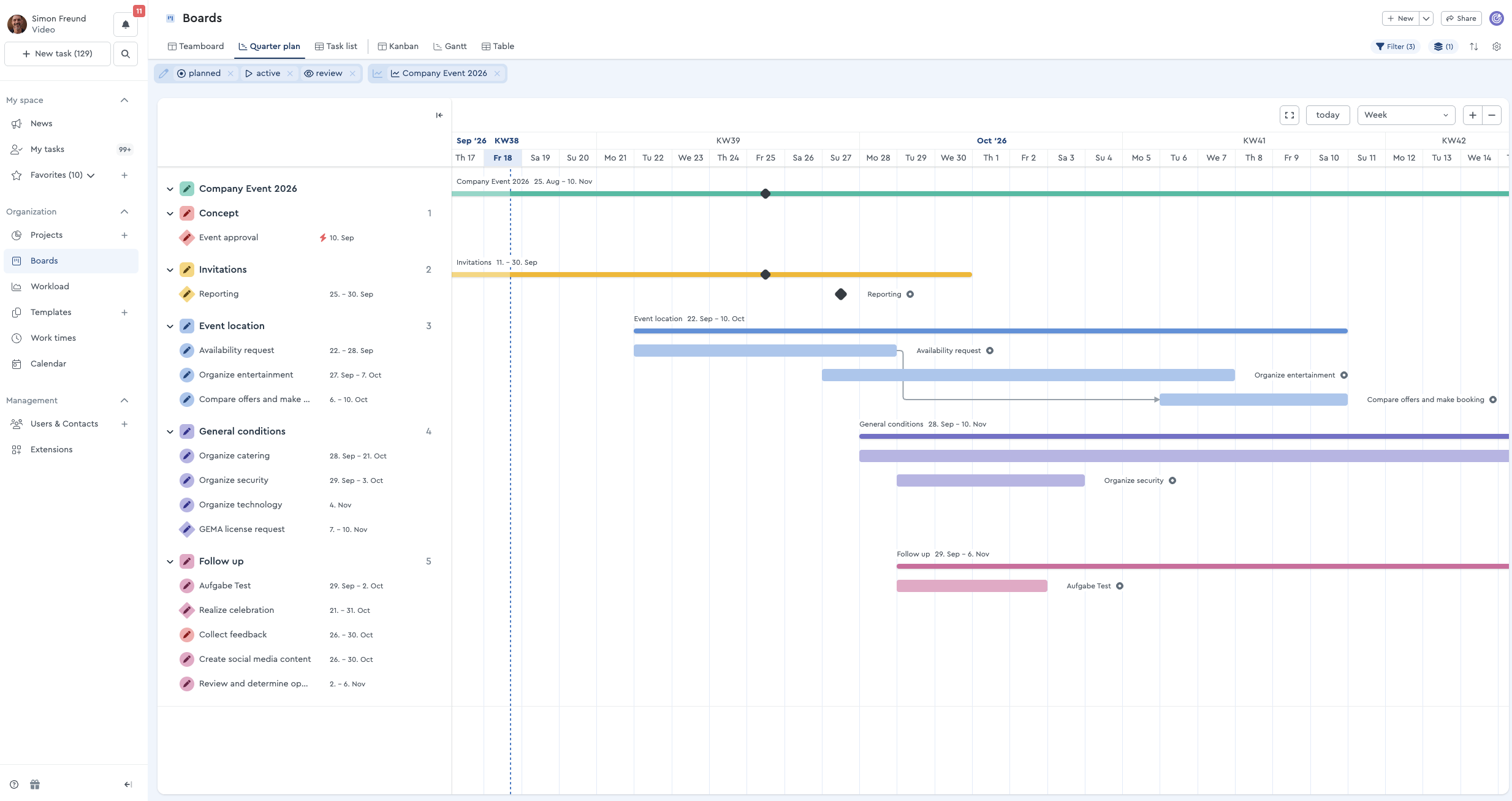
In this view, for example, you can group by assignee and see what still needs to be completed this week. Using the “Dependencies” filter, you can see which tasks are related and which tasks might block or delay each other as a result.
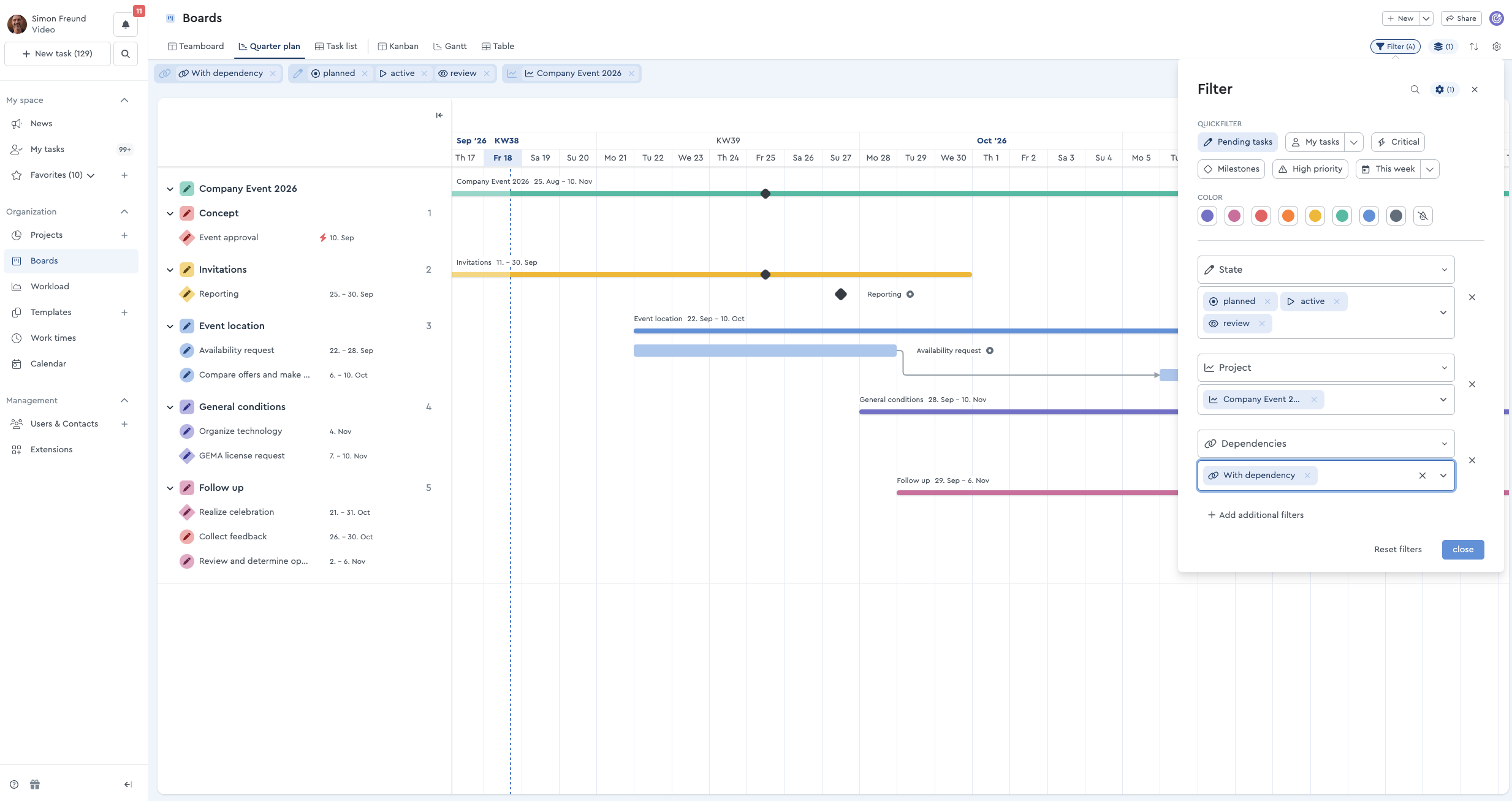
Want to know which tasks are still awaiting feedback? Then you can use the “Review” filter to see which tasks still require feedback from the person in charge.